Edmonton Laptop Display Repair: Smart Solutions for Damaged Screens
A damaged laptop display can make work, school, business, and everyday tasks frustrating. A cracked screen, flickering display, black spots, or missing image can prevent you from using your laptop properly.
The good news is that a damaged display does not always mean you need a new laptop. Professional Edmonton Laptop Display Repair can help identify the problem and determine whether screen replacement, cable repair, or another solution is needed.
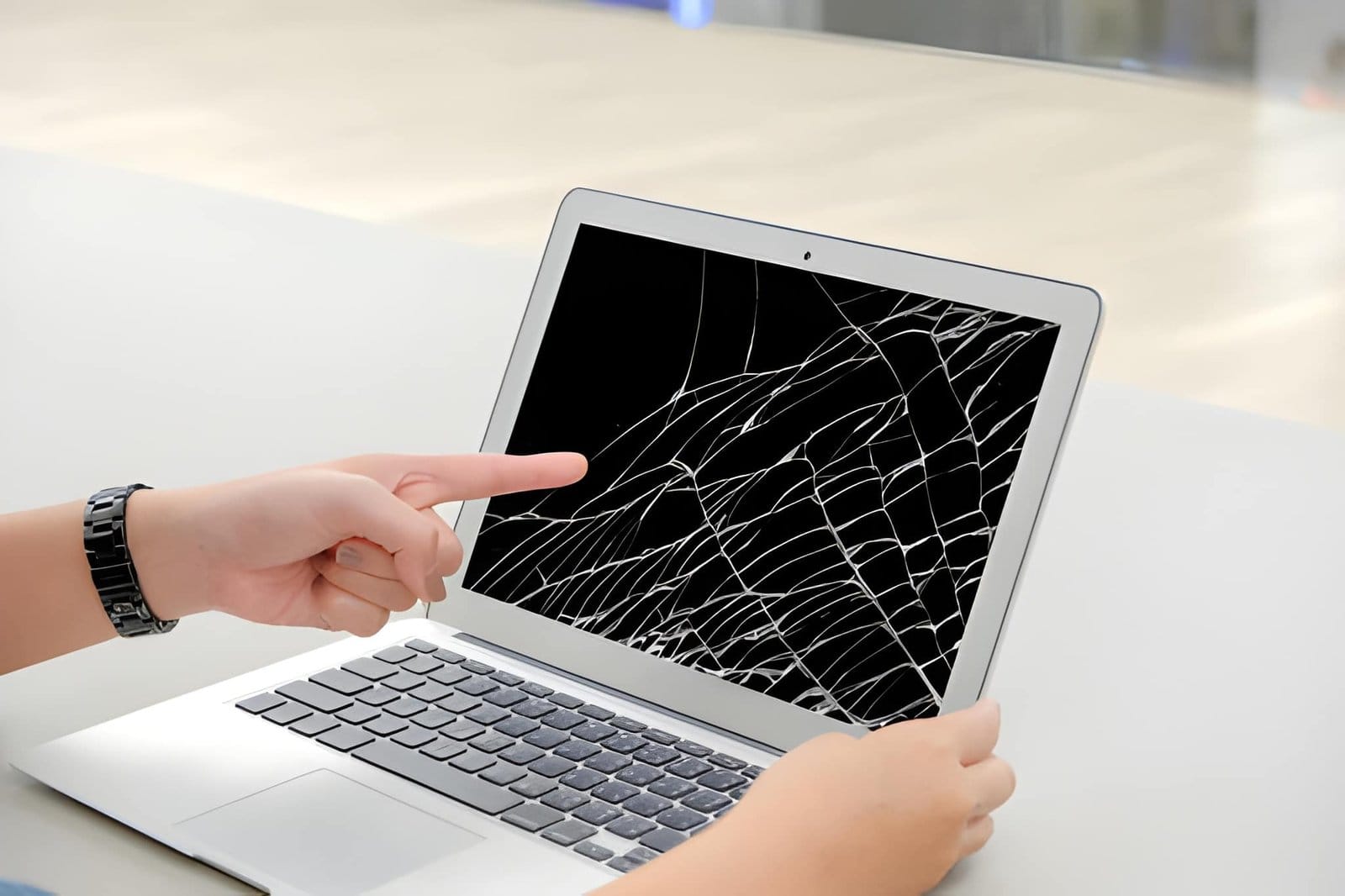
If your laptop still performs well, repairing the display may be a practical way to extend its useful life.
What Is Edmonton Laptop Display Repair?
Edmonton Laptop Display Repair involves diagnosing and repairing problems that affect a laptop’s screen and display system.
Depending on the problem, repair may involve:
- Screen panel replacement
- Display cable inspection
- Connector repair
- Hinge-related repairs
- Backlight troubleshooting
- Display diagnostics
- Bezel inspection
- Hardware testing
A technician should first identify the cause of the display problem. This helps prevent unnecessary replacement of working components.
What Are the Signs of a Damaged Laptop Display?
Some screen problems are easy to identify. Others can develop gradually.
Common warning signs include:
- Cracked screen
- Black spots
- Vertical lines
- Horizontal lines
- Flickering
- Dim display
- Incorrect colours
- Dead pixels
- Blank screen
- Display problems when moving the lid
If the problem changes when you open or close the laptop, the display cable or hinge assembly may also need inspection.
When Does a Laptop Need Screen Replacement?
A screen replacement may be necessary when the display panel has physical damage or internal failure.
Common reasons include:
Cracked Display
Accidental drops and impacts can crack the display panel. Continuing to use a severely damaged screen may make the laptop difficult to operate.
Black Spots
Large black areas can indicate damage to the display panel.
Lines Across the Screen
Persistent vertical or horizontal lines may indicate panel or connection problems.
Severe Flickering
Occasional flickering can have several causes. If it continues after basic troubleshooting, professional diagnosis can identify the source.
No Display
A completely blank screen may result from a damaged panel, cable, graphics hardware, or another internal issue.
How Does a Laptop Screen Get Damaged?
Laptop screens are designed for portability, but they are still relatively delicate.
Common causes of damage include:
- Accidental drops
- Pressure inside a backpack
- Objects left on the keyboard
- Closing the lid too forcefully
- Heavy items placed on the laptop
- Damaged hinges
- Liquid spills
- Normal wear and tear
For example, closing the laptop with a pen or USB device on the keyboard can put pressure on the display and cause cracks.
Can a Broken Hinge Damage a Laptop Screen?
Yes. A damaged hinge can place additional stress on the laptop’s display assembly.
A stiff hinge may require excessive force to open the laptop. Over time, this pressure can affect the screen, bezel, housing, or display cable.
Warning signs include:
- Stiff hinges
- Loose screen movement
- Cracking sounds
- Uneven lid movement
- Broken plastic around the hinge
If you notice these problems, consider professional Laptop Repair Edmonton before the damage spreads to other components.
How Can You Protect Your Laptop Screen?
Preventive care can reduce the risk of expensive display damage.
Follow these simple tips:
- Use a padded laptop bag.
- Never place heavy objects on the laptop.
- Remove objects from the keyboard before closing the lid.
- Open the screen gently.
- Avoid carrying the laptop by its display.
- Keep liquids away from the device.
- Do not force a stiff hinge.
- Store the laptop safely when travelling.
Small changes in daily handling can make a significant difference.
Is Screen Replacement Better Than Buying a New Laptop?
It depends on the overall condition of the laptop.
Repair may be worth considering when:
- The laptop runs well.
- The processor meets your needs.
- The battery is still useful.
- The keyboard works properly.
- Storage is healthy.
- The display is the main problem.
If several major components are failing, replacement may be more practical.
A professional diagnosis can help you understand the condition of the laptop before you make a decision.
How Much Does Laptop Display Repair Cost?
The cost depends on several factors.
These can include:
- Laptop brand
- Model
- Screen size
- Screen resolution
- Touchscreen features
- Panel type
- Availability of replacement parts
- Additional hinge or cable damage
For this reason, it is better to diagnose the laptop before estimating the final repair cost.
A technician can identify the correct screen and explain the available repair options.
Why Choose Professional Edmonton Laptop Display Repair?
Replacing a laptop screen requires care and the correct equipment.
Professional repair can help reduce the risk of:
- Damaging the bezel
- Breaking connectors
- Damaging display cables
- Installing an incompatible panel
- Creating additional hardware problems
A technician can also check whether the screen is actually the source of the problem.
This is especially important when the display is flickering or completely blank.
How Can Edmonton Laptop Repair Save You Money?
Replacing a laptop immediately after screen damage can be expensive.
If the rest of the computer remains in good condition, repairing the display may allow you to continue using the same device.
You may also consider combining the repair with maintenance or an upgrade.
For example, if your laptop has a damaged screen and an older hard drive, replacing the display and upgrading the storage could give the computer a useful performance boost.
Why Choose Akal IT Services?
Akal IT Services provides professional computer and laptop repair services for Edmonton users.
If your laptop has a cracked display, flickering screen, damaged cable, or hinge problem, professional diagnostics can help identify the right solution.
Services may include Edmonton Laptop Display Repair, Laptop Screen Replacement Edmonton, laptop hardware troubleshooting, hinge repairs, performance upgrades, and general computer support.
The goal is to provide a practical repair based on the condition and requirements of your laptop.
How to Prepare for a Laptop Screen Repair?
Before bringing your laptop for repair or arranging technical assistance, back up important files if the computer is still working.
Important information may include:
- Photos
- Documents
- School work
- Business files
- Videos
- Financial records
Also note when the screen problem started and whether it occurred after a drop, pressure, liquid spill, or other incident.
This information can help a technician understand the problem more quickly.
Conclusion
A damaged laptop display can be frustrating, but it does not always mean you need a new computer.
Edmonton Laptop Display Repair can help diagnose cracked screens, flickering displays, black spots, lines, blank screens, and other display problems. Depending on the cause, the solution may involve screen replacement, cable repair, hinge repair, or another hardware service.
Taking care of your laptop and addressing display problems early can help prevent additional damage.
If your laptop is otherwise working well, professional repair may be a practical way to restore the display and continue using the computer you already have.